
INTRODUCTION
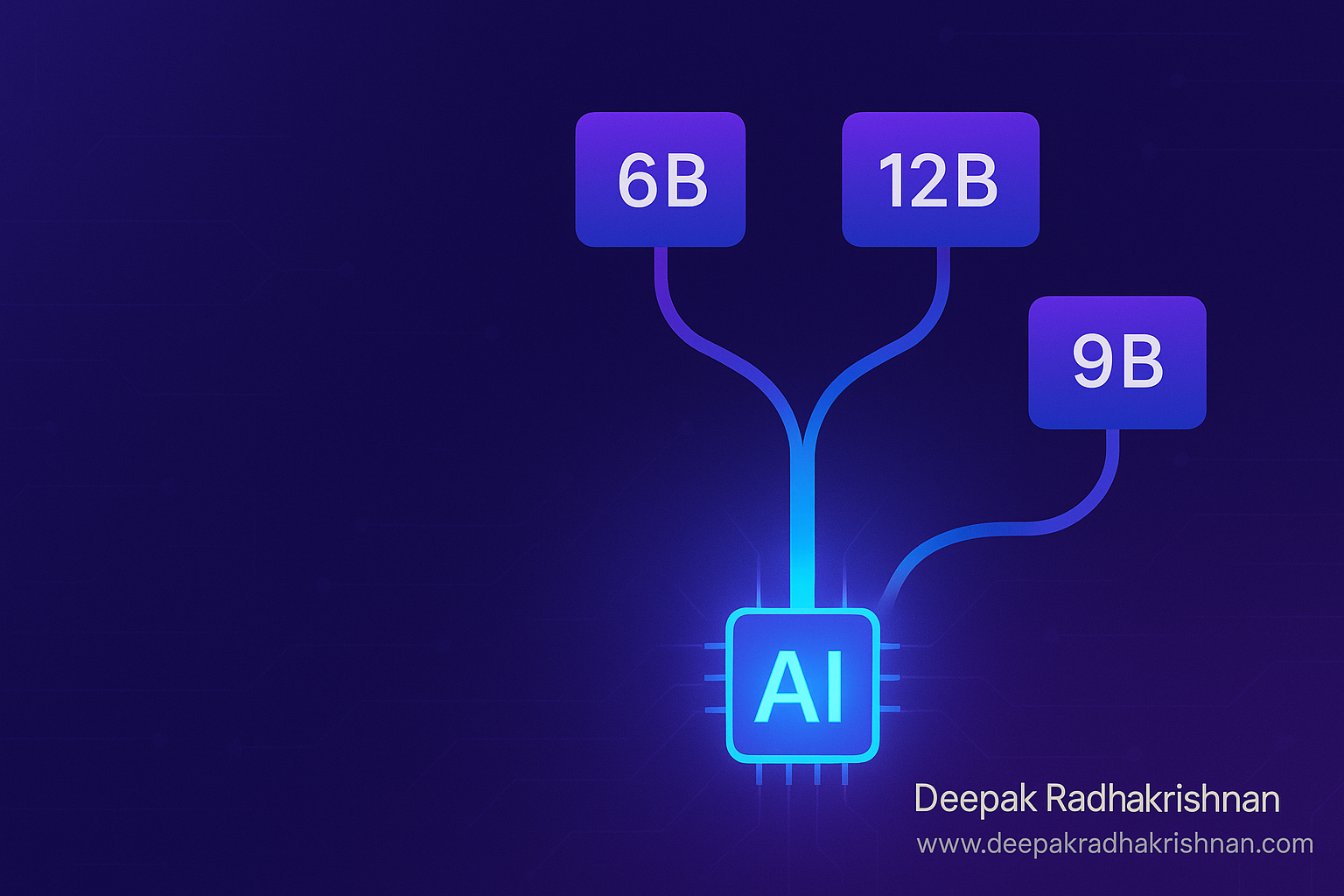
AI teams are tired of retraining the same family three times. Nemotron Elastic 12B changes the rules. It’s a single checkpoint that can be sliced into 6B, 9B, and 12B variants without extra training runs. Moreover, it keeps reasoning performance competitive while simplifying deployment across budgets and devices. That’s why builders, MLOps leads, and indie devs are paying attention.
In this practical, long-form guide, you’ll learn what Nemotron Elastic 12B is, how its hybrid architecture works, where it shines, and how to deploy it efficiently. We’ll cover routing patterns, memory footprints, prompt strategies, evaluation, and real-world use cases so you can decide if Nemotron Elastic 12B belongs in your stack today. Finally, you’ll get a step-by-step adoption plan you can execute this week.
If you’ve been hunting for one model family that scales across constraints, elastic LLMs might be the shortcut you need. Build once, serve many sizes, and ship with confidence.
What Is Nemotron Elastic 12B? (Hybrid Efficiency Explained)
Nemotron Elastic 12B is a large language model designed to operate as a single “elastic” checkpoint that yields three effective sizes: 6B, 9B, and 12B. Instead of training independent models for each parameter count, you deploy one model and configure it to behave like a smaller or larger slice. Consequently, teams can field multiple performance tiers without multiplying training runs or maintenance overhead.
Under the hood, the model blends modern sequence modeling with a small number of attention layers to preserve reasoning while keeping compute efficient. The key idea is that not every layer needs to be active for every request. By selecting the appropriate slice, you throttle compute to match the task’s complexity, latency budget, or cost target.
Why “Elastic” Matters Right Now
Budgets fluctuate, workloads vary, and hardware isn’t uniform. With a single elastic model, you meet diverse latency and memory constraints without juggling separate training pipelines and tokenizers. Moreover, it streamlines upgrades, security reviews, and observability—because you manage one family instead of three.
💡 Pro Tip: Standardize around one tokenizer, one serving image, and one observability stack. Elastic slicing keeps everything else constant.
Nemotron Elastic 12B vs Separate Models: The Real Tradeoffs
Many organizations still maintain distinct 7B, 13B, and sometimes 30B checkpoints. However, that approach multiplies training, evaluation, red teaming, patching, and compliance reviews. With Nemotron Elastic 12B, you concentrate that work on one codebase and one artifact. As a result, you compress timelines and reduce change risk.
On the other hand, there are tradeoffs. If your domain is extremely specialized, a fully separate small model distilled from scratch might outperform a slice at the same size. Nevertheless, for general enterprise workloads—chat agents, retrieval-augmented generation, summarization, and light tool use—the elastic approach often delivers “good enough” quality at lower operational complexity.
Bold idea worth sharing: One model family can serve three budgets without three roadmaps.
Where Nemotron Elastic 12B Shines (And Where It Doesn’t)
Elastic models are strongest when your traffic mix spans easy and hard queries. For example, most customer messages are short and routine, yet a minority require deeper reasoning. With Nemotron Elastic 12B, you can route routine queries to the 6B slice for speed and cost, while promoting complex queries to 9B or 12B on demand. Consequently, you align resources to value rather than treating all prompts equally.
However, if your workload is consistently high stakes—like long-form legal drafting—sticking to the 12B slice for most requests may be wiser. Meanwhile, if your workload is extremely latency-sensitive and trivial, a dedicated tiny model might beat a 6B slice on both speed and price. The “elastic” promise is about flexibility; it’s not a dogma.
💡 Pro Tip: Build a simple difficulty estimator that promotes a request from 6B to 9B or 12B when signals like prompt length, retrieval hits, or tool chain depth cross thresholds.
Reasoning, Memory, and Latency: Practical Expectations
A 12B slice generally offers stronger chain-of-thought capability, better tool coordination, and more robust function-calling under ambiguity. The 9B slice tends to be the sweet spot for mixed workloads: it handles multi-step instructions, short chains of thought, and structured output reliably while staying responsive. The 6B slice is ideal for concise tasks—classification, templated replies, metadata extraction, and UI assistant actions—where latency and cost matter more than edge-case brilliance.
Memory footprints vary by precision. BF16 or FP16 will require more memory than 8-bit or 4-bit quantization. Moreover, context length impacts memory: long prompts or multiple retrieved chunks can nudge you toward the 9B or 12B slice even if the base task is simple. Therefore, plan your slice policy with context windows in mind.
Shareable line: Right-size the model to the message, not the other way around.
Prompting Strategies That Work Better With Elastic Models
Elastic setups reward clear, structured prompts. Because smaller slices have less headroom, they benefit from explicit instructions, schema examples, and tight constraints. Meanwhile, larger slices can tolerate fuzzier language and still produce coherent outputs.
- Give the model a role plus two crisp goals rather than a long narrative.
- Include one positive example and one counterexample when enforcing a schema.
- For tool use, name the tool, list its inputs, then ask for the call as JSON.
- For retrieval, always show the model a short system summary that prioritizes how to use context.
- Keep formatting strict for the 6B slice—JSON schemas and bullet lists reduce hallucinations.
💡 Pro Tip: Maintain two prompt templates per task: “compact” for 6B and “expressive” for 12B. Switch templates when promoting a request.
Data, Guardrails, and Evaluation: One Suite, Many Slices
An underrated benefit of Nemotron Elastic 12B is governance simplicity. You can run one evaluation suite—accuracy, toxicity, bias, safety prompts—across all slices and compare deltas. As a result, you keep a single source of truth for quality and risk. This is far simpler than managing three independent models with diverging behaviors.
Additionally, use a shared prompt library and a shared set of output validators. For JSON-heavy tasks, write a strict schema and validate outputs from every slice. If the 6B slice fails validation, promote the request to 9B automatically and retry. Consequently, end users experience consistent quality while you maintain tight cost control.
💡 Pro Tip: Track three metrics per slice: acceptance rate (first-try valid), average latency, and cost per thousand tokens. Optimize routing rules against all three, not just accuracy.
Architecture & Routing Patterns For Nemotron Elastic 12B
A practical production design includes the following pieces:
- Front-end or API gateway attaches metadata: user tier, feature flag, and request priority.
- Orchestrator classifies the task: chat, RAG, extraction, or tool call.
- Difficulty estimator uses prompt length, retrieval overlaps, and tool chain depth to propose a slice.
- Inference layer hosts the single Nemotron Elastic 12B checkpoint and exposes endpoints that toggle slices.
- Output validators enforce schemas and either accept or promote to a larger slice on failure.
- Observability collects per-slice metrics and logs for evaluation replay.
Moreover, keep routing simple at first. Hardcode thresholds and promote only on clear signals. Later, replace thresholds with a small policy model or rules backed by your evaluation data. The goal is to achieve “mostly right” routing quickly and then tune.
💡 Pro Tip: Cache final answers and intermediate tool results with keys that include the slice identifier. This prevents cache pollution across sizes.
Cost Modeling: Turning Elasticity Into Real Savings
Elasticity only pays off if you measure it. Start with a baseline: run your current single-size model on a week of production-like traffic and record latency, cost, and acceptance. Then replicate the week using slice routing: 70% to 6B, 20% to 9B, 10% to 12B is a common first guess. Adjust shares until acceptance and latency match or beat baseline.
Remember that context length drives both quality and cost. If your RAG system dumps five long documents into every prompt, the 6B slice won’t save much. Instead, prune context intelligently with a reranker, summarize chunks for narrow tasks, or switch to query-focused retrieval.
💡 Pro Tip: Pre-compute short task embeddings that hint at difficulty. Use them to bias routing decisions without expanding the prompt.
RAG With Nemotron Elastic 12B: Patterns That Reduce Hallucinations
Elastic models pair well with retrieval-augmented generation. For simple “fact fetch” questions, route to the 6B slice with tightly scoped context. For multi-document synthesis, promote to 9B. Reserve 12B for long-context synthesis, multi-hop answers, or when citations must be watertight.
Structure your system prompt to define a strict quoting and citation policy. For instance, instruct the model to only output facts found in provided snippets and to mark uncertain claims as “insufficient evidence.” Smaller slices benefit from such guardrails because they minimize off-ramp hallucinations.
💡 Pro Tip: Add a lightweight re-check step: after the model drafts the answer, pass the draft and sources to a short verifier prompt on the same slice. Promote to 12B only if the verifier flags missing support.
Tool Use and Function Calling: Make Small Slices Feel Bigger
Function calling often narrows the gap between slices. When the model can query calendars, databases, or calculators, the 6B slice produces accurate results with less “brainpower.” Therefore, prioritize tool integration for tasks like pricing, availability checks, math, date rules, and policy lookup. The result is lower average latency and cost with no visible drop in quality.
Design your tool schema with strong typing and short field names. Provide one or two examples showing valid tool calls and valid final answers. Then log every tool call and outcome. Over time, the data will reveal which tasks truly need 12B and which only seemed difficult.
💡 Pro Tip: If a tool call fails, retry on the same slice once. If it fails again, promote the same prompt to 9B rather than “fixing” the prompt on the fly.
Security, Privacy, and Compliance Considerations
A single elastic model simplifies governance because you have one artifact to scan, one set of weights to track, and one tokenizer to lock down. Nevertheless, elasticity introduces a new control surface: routing. Document which user cohorts are eligible for which slices, and treat promotions across slices as access-controlled operations if outputs differ materially.
For privacy, ensure prompts and outputs are redacted at the edge when necessary. If you operate in regulated industries, keep a paper trail: which slice answered what, which sources were used, and which validators passed. Meanwhile, consider rate limits per slice to control abuse and cost spikes.
💡 Pro Tip: Store the slice ID, model hash, and policy version with every response object. This makes audits and bug hunts painless.
Practical Adoption: From Pilot to Production (Step-by-Step)
- Define Budgets and SLAs
Map user journeys to target latencies and costs. Assign 6B for casual chat and extraction, 9B for mixed workloads and short syntheses, 12B for heavy reasoning and long-context tasks. Keep the initial policy simple and document it as a table your whole team can understand. - Stand Up a Single Serving Stack
Containerize the inference runtime once. Expose a header or parameter that selects the slice. Add a kill switch to force everything to 12B if needed. Moreover, put authentication, rate limits, and request quotas in front of the API. - Benchmark With Your Data
Build a replay dataset of real prompts and target outputs. Run the dataset against each slice individually and then with routing enabled. Record acceptance rate, latency, and cost per thousand tokens. Compare to your current 7B–13B stack for apples-to-apples TCO. - Safety and Monitoring
Apply one safety layer that screens prompts and outputs. Log rule hits by slice. Red-team each slice separately, then red-team the router itself. Consequently, you maintain consistent guardrails as traffic grows. - Gradual Rollout
Start with 6B for most traffic. Route complex tasks to 9B or 12B based on thresholds. Finally, optimize caching, batch sizes, and nucleus temperature per slice. Expect a few weeks of tuning before savings fully materialize.
💡 Pro Tip: Pin the 12B slice for nightly batch jobs and evaluations; serve 6B/9B during peak hours to stabilize spend.
Advanced Tuning: Getting More From Every Slice
Once the basics are stable, consider three low-risk enhancements:
- Instruction Reshaping: Shorten verbose user prompts into compressed instructions before inference, then expand the final answer if needed. Smaller slices benefit enormously from cleaner input.
- Response Drafting: Let 6B write a terse draft and ask 9B to refine only when needed. This two-phase approach often beats running everything on 12B outright.
- Knowledge Adapters: For high-variance domains, attach lightweight adapters or retrieval plugins rather than fine-tuning the base model. Adapters keep the elastic core intact and avoid fragmenting your fleet.
💡 Pro Tip: Track “promotion regret” events—cases where 6B would have sufficed but routing escalated to 12B. Reduce regret with better difficulty signals.
Troubleshooting Guide: Symptoms, Causes, and Fixes
- Symptom: Excessive promotions to 12B
Cause: Overly strict validators or noisy retrieval.
Fix: Relax non-critical checks, improve reranking, or add a 9B intermediate pass. - Symptom: JSON schema failures at 6B
Cause: Prompt lacks explicit schema or examples.
Fix: Add a one-shot schema example, shorten field names, and cap maximum response tokens. - Symptom: Latency spikes during peak hours
Cause: Too much 12B traffic or batch sizes too small.
Fix: Increase 6B share for basic tasks and raise batching limits by 10–20%. - Symptom: Inconsistent tone or style across slices
Cause: Prompts rely on emergent stylistic behavior.
Fix: Add a short brand style guide section to every system prompt and require it in validators. - Symptom: Caching misses across slices
Cause: Cache keys don’t include slice ID or prompt hash.
Fix: Include both in keys and normalize whitespace in prompts.
💡 Pro Tip: Keep a “routing playground” dashboard with sliders for thresholds. Let product and support teams preview changes before rollout.
Common Questions
Q: Is Nemotron Elastic 12B suitable for small teams?
A: Yes. The single-checkpoint approach simplifies deployment and governance. Moreover, the 6B slice is friendly to modest GPUs or managed serving plans, while 9B and 12B cover advanced tasks without switching model families.
Q: How do I choose between 6B, 9B, and 12B for a request?
A: Start with simple thresholds: prompt tokens, number of retrieved chunks, and tool chain depth. Promote to 9B or 12B when thresholds are exceeded or when validators fail at a smaller slice.
Q: Do I need different prompts for each slice?
A: It helps. Maintain a compact template for 6B and a more expressive template for 12B. The 9B slice can often use either, depending on the task.
Q: Can I fine-tune Nemotron Elastic 12B?
A: Treat fine-tuning carefully. Prefer instruction reshaping, retrieval, or adapters first. If you fine-tune, do it on the elastic checkpoint and re-evaluate all slices with the same suite to detect regressions.
Q: How do I keep costs predictable?
A: Set per-slice budgets and rate limits. If a day’s 12B budget is exhausted, degrade gracefully to 9B for all but the most critical paths, and notify stakeholders via alerts.
Q: What if compliance needs a single deterministic mode?
A: Pin a subset of workflows to a fixed slice, fixed temperature, and fixed nucleus setting. Log model hash and policy version with every output for traceability.
Final Thoughts
Elastic LLMs finally make “one family, many budgets” real. If you’ve been juggling multiple checkpoints and retrains, this approach can compress your roadmap and your cloud bill. One model, three slices, fewer headaches. Start small, measure patiently, and scale what works. Over time, your routing policy will become a quiet superpower—shaping how much you spend and how happy users feel.
Key Takeaways:
- One checkpoint yields 6B, 9B, and 12B slices—no separate model zoo to maintain.
- Route by difficulty, context length, and validator outcomes to keep quality high.
- Measure acceptance, latency, and unit cost per slice; tune routing against all three.
Start by benchmarking the 6B slice against your current 7–8B baseline this week. Then layer in promotions to 9B and 12B for the toughest 10–30% of requests. Your future self—and your finance team—will thank you.
Found this helpful? Share it with someone who needs it.
What’s your experience with elastic model families? Drop a comment below.

Leave a Reply